 TapNoise
Tappy
Meet Tappy, your keycap on the desktop.
Tappy presses along with every key you type and reacts to slaps and the charger. It earns levels for typing, and a new hat at each one. Drag it anywhere on your screen.
Tappy is a small black keycap that floats above your other windows, on every desktop Space. Drag it where you like. It remembers where you put it.
It presses down with each key sound, and its face shows what you’re doing. It sweats when you type fast, goes dizzy after a slap, and sleeps when you’ve been away for a while.
Every key press is 1 XP and every slap is 10. Levelling up unlocks hats for Tappy to wear, from a party hat at level 2 to a crown at level 15.
Ten moods
From happy to asleep. They are listed below.
Six hats
Unlocked by level. Wear one, or take it off, in Settings › Stats.
Click to play
A click plays your sound, or answers a waiting agent or dismisses a break reminder.
Easy to hide
Turn off Tappy on screen. Your sounds keep playing.
Moods.
Tappy changes face with what you’re doing.
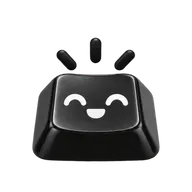 HappyTyping along with you.
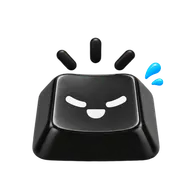 SweatingYou’re typing fast.
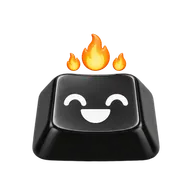 On fireReally fast.
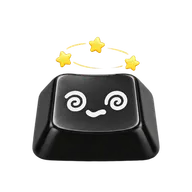 DizzySomeone slapped the Mac.
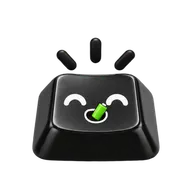 SnackingThe charger went in.
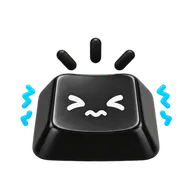 Ears coveredCaps Lock is on, or an agent hit an error.
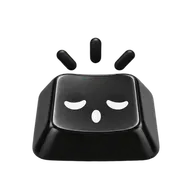 SleepyIt’s late, or time for a stretch.
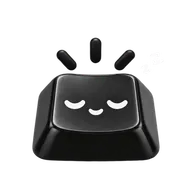 AsleepYou’ve been away.
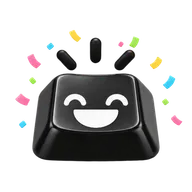 PartyYou levelled up, or an agent is done.
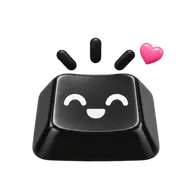 Bye!The lid is closing.
Hats.
Each hat unlocks at a level. Wear one from Settings › Stats.
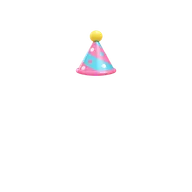 Party hatLevel 2
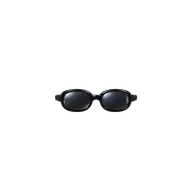 SunglassesLevel 4
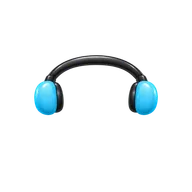 HeadphonesLevel 6
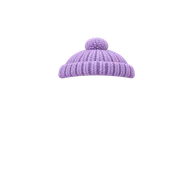 BeanieLevel 8
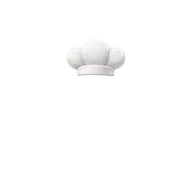 Chef hatLevel 10
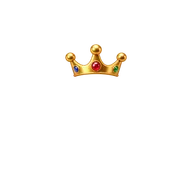 CrownLevel 15
Turn it on.
Settings › General
- Click the keycap in the menu bar, then Settings.
- Under TapNoise, Tappy on screen is on by default. Turn it off to hide Tappy.
- Hats appear under Settings › Stats as you level up. Click one to wear it.
Options.
- Tappy on screen
Shows Tappy on the desktop. Drag it anywhere, and it remembers its place. Settings › General.
Default: On- Hat
Wear any hat you’ve unlocked. Click it again to take it off. Settings › Stats.
Default: Off- Speed tag
Your words per minute under Tappy as you type, with a “New record!” message when you beat your best. Shown while Tappy is on screen.
Limits.
- Tappy sleeps when Sounds is off, and until you unlock TapNoise.
- Slaps earn XP only on a Mac with a motion sensor. Without one, levels come from key presses alone.
- Tappy’s speed tag only shows while Tappy is on screen.
Questions.
Can I hide Tappy and keep the sounds?
Yes. Turn off Tappy on screen in Settings › General. Sounds, agent cues and knocks keep working.
What does clicking Tappy do?
It plays your current sound. If an agent is waiting for you, it brings that agent’s window forward. If a stretch reminder is showing, it dismisses it.
How do I level up?
Each key press is 1 XP and each slap is 10. Level 2 comes at 1,000 XP. Early levels come quickly, and later ones take longer.
Related.
- Typing statsYour words per minute live under Tappy, plus your best speeds, a week of averages, streaks and a card to share.
- Break buddyAfter a long stretch of work, Tappy suggests a stretch. It also nudges you to type softer when you hit keys too hard.
- Agent soundsA chime when Claude Code, Codex or Cursor is done, needs you or hits an error, and a knock to jump to the waiting window.
Every key, a little joy.
TapNoise is US$7.99 once, before tax, on up to 2 Macs, with every update included. No subscription. Not for you? Ask for a refund within 14 days.