 TapNoise
Slap sounds
Slap your MacBook. It says ouch.
The motion sensor in a supported MacBook feels a hit on its body and plays a sound. Harder hits are louder, and typing never counts.
Slap sounds use the accelerometer in the MacBook’s body. A hit that’s hard enough plays an ouch, and the harder you hit, the louder it gets. A slap can’t set off a second ouch within about a third of a second.
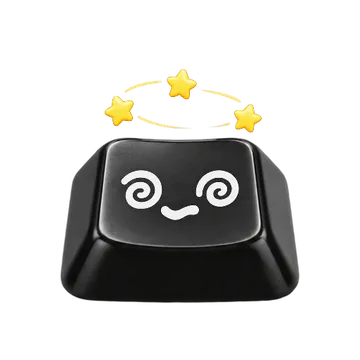
Each slap is worth 10 XP and makes Tappy dizzy. Slaps are counted today on the Stats page.
A knock is lighter than a slap. It doesn’t play an ouch. It counts toward knock commands instead.
Harder is louder
Light hits stay quiet. Firm hits get the full ouch.
Three sensitivities
Gentle, Normal and Firm. Normal is the default.
Typing doesn’t count
Hard typing stays well below the slap threshold, even on Gentle.
Works with Tappy
Tappy gets dizzy, and each slap is worth 10 XP.
Turn it on.
Settings › MacBook › Slaps
- Click the keycap in the menu bar, then Settings, then MacBook.
- Under Slaps, turn on Slap sounds. It’s on by default on a supported Mac.
- Choose a Sensitivity: Gentle, Normal or Firm.
Options.
- Slap sounds
The ouch when the MacBook is hit. Greyed out on a Mac without the sensor.
Default: On- Sensitivity
How hard a hit has to be: a minimum of 0.25 g for Gentle, 0.4 g for Normal and 0.7 g for Firm.
Default: Normal
Limits.
- Needs a motion sensor: a MacBook Pro with M1 Pro or M1 Max and later, or a MacBook Air with M2 and later. The M1 MacBook Air doesn’t have it.
- Intel Macs and other Macs without the sensor show a notice in Settings instead.
- The sensor only runs while a sound needs it, to save battery.
Questions.
Does typing set off slap sounds?
No. Hard typing peaks well below the slap threshold, even on Gentle.
What’s the difference between a slap and a knock?
A slap is a hit at or above your Sensitivity, and it plays the ouch. A knock is lighter. It counts toward knock commands instead.
Why is Slap sounds greyed out?
Your Mac doesn’t have the motion sensor. Slaps need a MacBook Pro with M1 Pro or M1 Max and later, or a MacBook Air with M2 and later.
Related.
- Knock commandsKnock twice or three times on your MacBook to pause music, mute your mic, lock the screen or answer a waiting agent.
- Lid soundsThe hinge creaks as you open and close the lid, faster the faster you move it.
- Guard ModeArm it, walk away, and a loud alarm sounds if the MacBook is lifted, tilted, has its lid moved or loses its charger.
Every key, a little joy.
TapNoise is US$7.99 once, before tax, on up to 2 Macs, with every update included. No subscription. Not for you? Ask for a refund within 14 days.