 TapNoise
Charger and USB
Plug in the charger. Hear it.
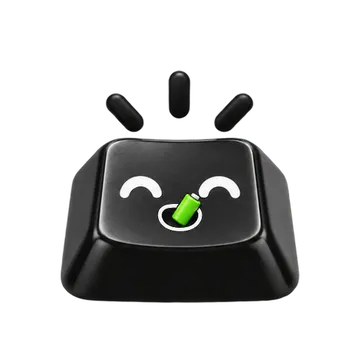
A tune when you plug the charger in or unplug it, and a sound when a USB device connects or leaves. Tappy grabs a snack when the charger goes in.
TapNoise hears when macOS reports a change to the power or a USB port, and plays a sound for it. Both are on by default. They work on any Mac that runs macOS 14 or later, and they don’t need a motion sensor.
Plugging in the charger also sends Tappy off to eat a snack. Unplugging the charger while Guard Mode is armed sounds its alarm, even with the charger sound turned off.
Both sounds follow your sound theme and your volume. Like every other sound, they stay quiet during calls when Quiet during calls is on.
A tune for the charger
One sound when you plug in, another when you unplug.
USB devices
A sound when a USB device connects, and another when it leaves.
Any Mac
No motion sensor needed. Works on any Mac with macOS 14 or later.
Guard’s charger alarm
Unplugging while Guard is armed on power sounds the alarm.
Turn it on.
Settings › Events
- Click the keycap in the menu bar, then Settings, then Events.
- Under Also play on, turn on Charger and USB devices. Both are on by default.
Options.
- Charger
A little tune when you plug in or unplug power.
Default: On- USB devices
A sound when a USB device connects or leaves.
Default: On
Limits.
- These sounds don’t need a motion sensor or a lid sensor, so they work on any Mac with macOS 14 or later.
- Guard Mode’s charger alarm only counts if the Mac was on power when Guard was armed. It works even with the Charger sound off.
Questions.
Will the charger sound play during a call?
Not while Quiet during calls is on, which it is by default.
Can I keep the charger tune but turn off the USB sound?
Yes. They are separate switches under Settings › Events.
Related.
- Guard ModeArm it, walk away, and a loud alarm sounds if the MacBook is lifted, tilted, has its lid moved or loses its charger.
- Keyboard soundsTwenty keyboard sounds, one for every key, with your favourites pinned to the menu bar.
- TappyA keycap on your desktop that presses with every key, changes mood and wears hats as you level up.
Every key, a little joy.
TapNoise is US$7.99 once, before tax, on up to 2 Macs, with every update included. No subscription. Not for you? Ask for a refund within 14 days.